A quiet corner of natureon your desktop.
Lotus ponds, a creek, an aquarium, cherry blossoms, a rainy window, a nebula and a black hole, drawn live on your own computer, frame by frame. The one behind this text is running now: give it a click.
Scenes
9 so far, and each one plays at the top of this page. In the app you can also set the light, the current, how many fish swim and more, saved for each scene.
The versions in the stores today include Lotus Pond and Moonlit Lotus. The other scenes arrive with the next app update, after which new scenes download right in the app.
-
Flowing Moonlight
A warm halo drifts through thin clouds as dew rolls across lily pads.
Sweep across the water, drag a lotus, tap a lily pad
Open on its own -
Aquarium
Nine kinds of fish, each with its own habits, in a planted tank. Click the water to scatter them.
Tap the water to scatter the fish; rest the pointer and the curious ones come over
Open on its own -
Sakura
Swaying branches and tumbling petals, from dusk to midday.
Move the pointer to stir a breeze; click a branch to shake loose a shower of petals
Open on its own -
Rainy Window
Raindrops gather and run down the glass, city lights blurred beyond.
Drag to wipe the mist off the glass; click to knock and shake the drops loose
Open on its own -
Nebula
Drift slowly through a colorful nebula; click to ripple space.
Starlight bends around the pointer; click to send a ripple through space
Open on its own -
Black Hole
An accretion disk whirls round a black hole, its light bent into rings.
Click the disk or the sky to throw in a clump of plasma and watch it spiral in
Open on its own -
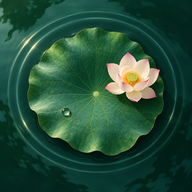
Lotus Pond
Sunlight on the water, koi beneath the leaves.
Tap the water to feed the koi, tap the frog to make it jump
Open on its own -
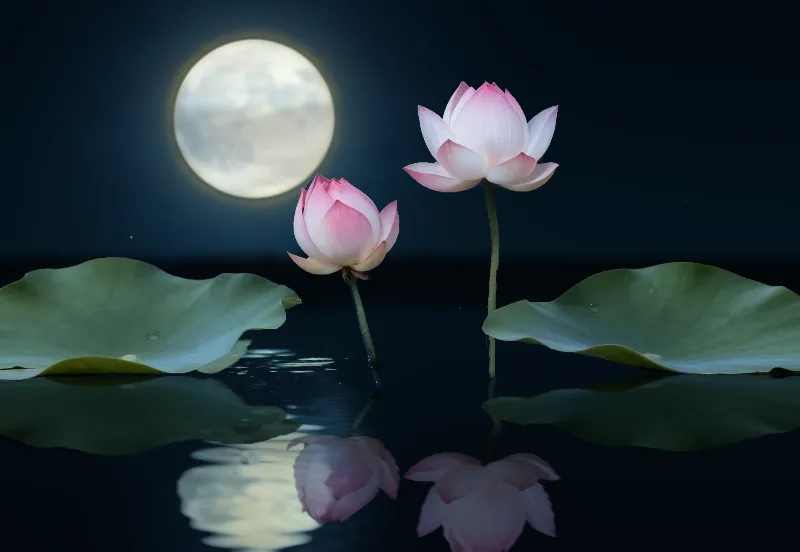
Moonlit Lotus
Rippling moonlight and fireflies among the lotus.
Tap the water for ripples, tap the frog to make it jump
Open on its own -
Pebble Creek
Clear water over pebbles, with sunlight and drifting leaves.
Tap the water for ripples, tap a dragonfly to send it off
Open on its own
Quietly at home on your desktop
-
Drawn live, not a video
Water, light and fish are worked out frame by frame on your computer, so nothing loops.
-
Your desktop still works
The wallpaper sits below your desktop icons, so files still click and drag. Turn on Interaction Mode to stir the water by clicking empty desktop, with the right-click menu still there.
-
Rests when no one is looking
Pauses while your display sleeps or the screen is locked, and runs at no more than 30 fps on battery. On a Mac it also stops drawing while windows cover it completely.
-
On your computer, no account
Scenes are drawn on your computer and no data is collected. New scenes download in the app with a click, and the ones you have stay up to date.
-
Tune each scene
Light, current, rain, petals, how many of each fish… set them in the app, and each scene keeps its own.
-
Every display
Each display gets its own scene, running on its own.
Download
The same scenes on Mac and Windows.
The versions in the stores today include Lotus Pond and Moonlit Lotus. The other scenes arrive with the next app update, after which new scenes download right in the app.
-
macOS
macOS 13 or later · Apple silicon and Intel
Get it on the Mac App Store -
Windows
Windows 11
Get it on the Microsoft Store -
Android
Phones and tablets
Planned
Questions
Will it slow my computer down?
It runs at 30 fps by default, with 60 fps as an option. It stops drawing while your display sleeps or the screen is locked, and runs at no more than 30 fps on battery. On a Mac it also pauses while windows cover it completely.
Do I need to be online or sign up?
There is nothing to sign up for. Most scenes come with the app and work offline. Once a day the app checks this site for new scenes; only the new scenes you pick and updates to the ones you have are downloaded, the requests carry nothing personal, and you can turn this off in the app.
Does my desktop go back to normal when I stop it?
Yes. Stop the wallpaper or quit the app and your usual wallpaper is back. The app does not change your system wallpaper setting or any files on your desktop.
Are the scenes on this page the same as in the app?
They are the same code. In the app you can also adjust the light, the current and more, and the scene keeps running on your desktop.